Types of Computers
Computers are classified into four major categories:
- Microcomputers
- Minicomputers
- Mainframe computers
- Supercomputers
1. Microcomputers
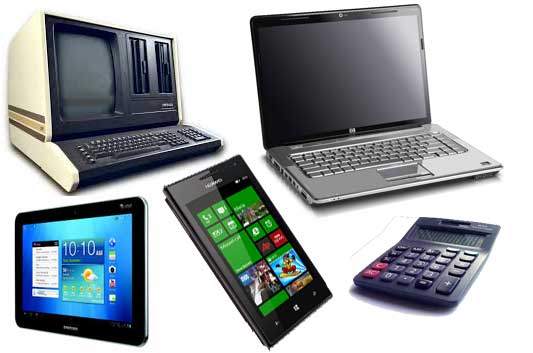
A microcomputer is a small, low-cost digital computer. It usually consists of:
- A microprocessor
- A storage unit
- An input channel
- An output channel
These components may be placed on one chip or inserted into one or several printed circuit boards (PC boards).
Examples of Microcomputers
- IBM PC
- Pentium 100
- IBM PC Pentium 200
- Apple Macintosh
Microcomputers include:
- Desktop computers
- Laptops
- Hand-held computers such as Personal Digital Assistants (PDAs)
1.1 Desktop Computer
A desktop computer, also known as a personal computer (PC), is principally intended for stand-alone use by an individual.
A typical desktop computer consists of:
- System unit
- Display monitor
- Keyboard
- Internal hard disk storage
- Other peripheral devices
Major Personal Computer Manufacturers
The course material identifies:
- Apple
- IBM
- Dell
- Hewlett Packard
1.2 Laptop
A laptop is a portable computer that a user can carry around.
Laptops are small computers that contain the basic features of a normal desktop computer.
Advantage of a Laptop
The major advantage is portability. A laptop can be used anywhere and at any time, especially while travelling.
1.3 Hand-Held Computers
A hand-held computer, also called a Personal Digital Assistant (PDA), is a computer that can conveniently be stored in a pocket and used while the user is holding it.
PDAs are essentially small portable computers and are slightly larger than common calculators.
Examples of PDAs
- Apple Newton
- Casio Cassiopeia
- Franklin eBookMan
2. Minicomputers
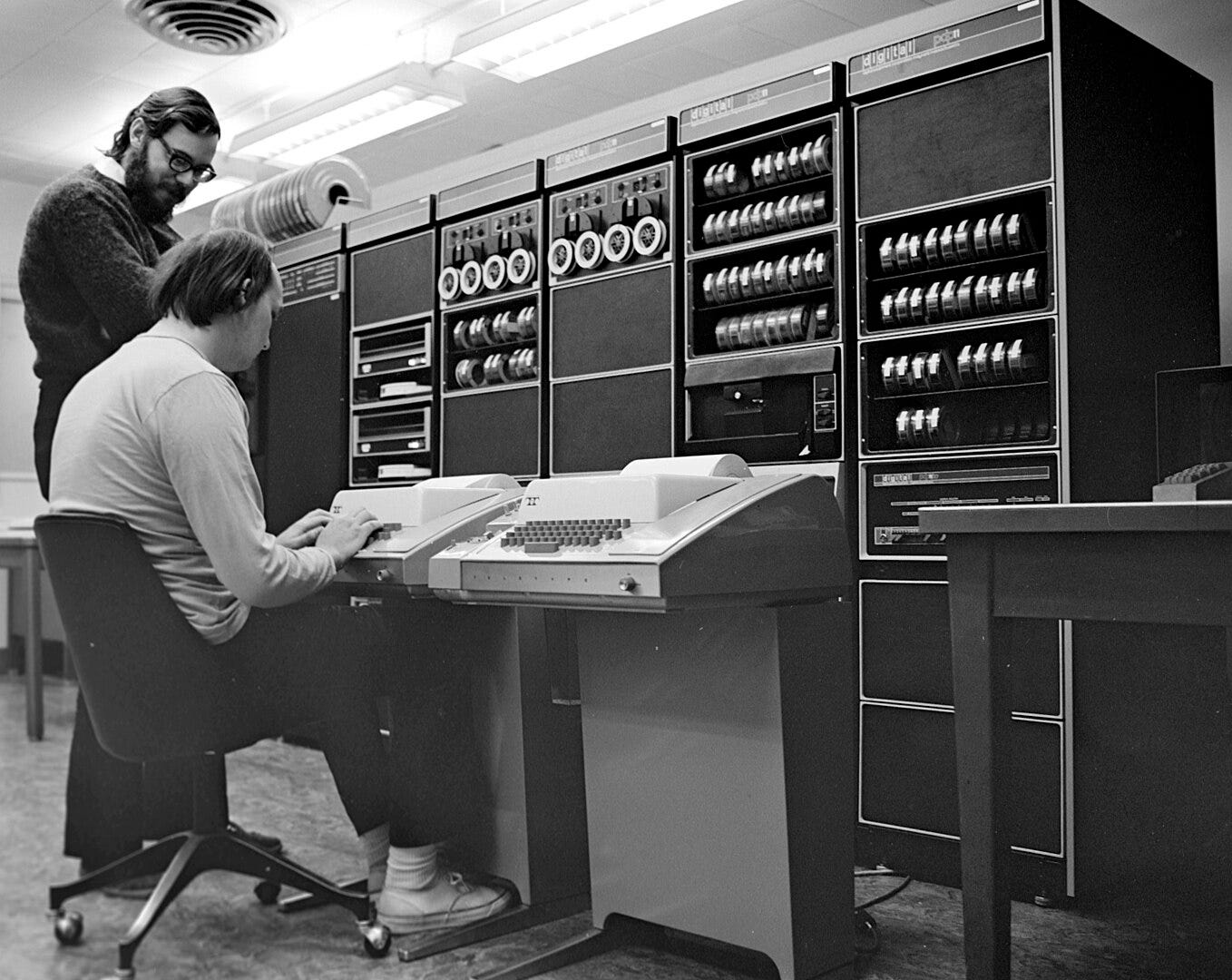
A minicomputer is a small digital computer whose processing and storage capacity is:
- Less than that of a mainframe computer
- More than that of a microcomputer
Its processing speed is between that of a mainframe and a microcomputer.
Minicomputers are generally used as desktop devices and are often connected to a mainframe to perform auxiliary operations.
Characteristics and Uses
Minicomputers are usually multi-user systems. They are used in interactive applications in:
- Industries
- Research organisations
- Colleges
- Universities
High-performance workstations with graphics I/O capability also use minicomputers.
Examples of Minicomputers
- PDP II
- IBM 8000 series
- VAX 7500
3. Mainframe Computers
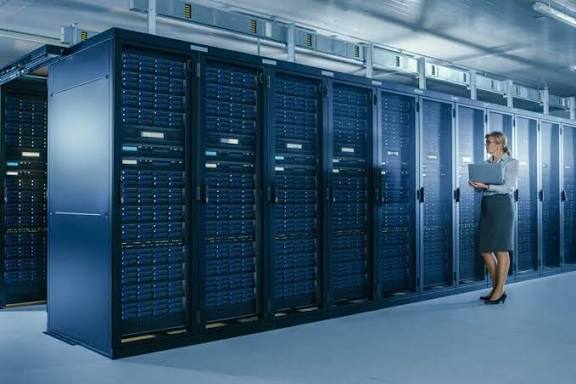
A mainframe computer is an ultra-high-performance computer designed for high-volume, processor-intensive computing.
It consists of a high-end computer processor and related peripheral devices capable of supporting:
- Large volumes of data processing
- Extensive data storage
- Data retrieval
Characteristics and Uses
Mainframes are the second largest category in the computer family, with supercomputers being the largest.
A mainframe allows users to:
- Maintain large amounts of information at a centralised location.
- Access data from different computers located in different locations.
- Process centrally stored data.
Mainframe computers are typically used by:
- Large businesses
- Scientific organisations
Examples of Mainframe Computers
- IBM E5000
- VAX8000
- CDC6600
4. Supercomputers
Supercomputers are special-purpose machines specially designed to maximise the number of FLOPS (Floating-Point Operations Per Second).
According to the course material, a computer below one gigaflop per second is not considered a supercomputer.
A supercomputer has the highest processing speed at a given time for solving scientific and engineering problems.
Processing
A supercomputer essentially contains a number of CPUs that operate in parallel, making it faster.
The course material gives its processing speed as being in the range of:
400–10,000 MFLOPS (millions of floating-point operations per second)
Applications of Supercomputers
Supercomputers are used to solve multivariate mathematical problems involving physical processes such as:
- Aerodynamics
- Meteorology
- Plasma physics
The course material also identifies major commercial use in the:
- Entertainment industry
- Advertising industry
Examples of Supercomputers
- CRAY-3
- Cyber 205
- PARAM
- NVIDIA Powers World’s Largest Quantum Research Supercomputer
BASIC COMPUTER ORGANIZATION
The basic organization of a computer system can be represented using a block diagram consisting of three major functional units:
- Input Unit
- Central Processing Unit (CPU)
- Output Unit
Each functional unit performs a specific operation in the computer system.
1. Input Unit
The Input Unit is responsible for receiving data, instructions, or commands from the outside world and supplying them to the computer system for processing.
Functions of the Input Unit
The input unit:
- Accepts data and instructions from the outside world.
- Converts the data into a form that the computer can understand.
- Supplies the converted data to the computer system for further processing.
- Sends information, instructions, or commands to the computer.
- The data received from the input unit is immediately stored in main memory and then processed.
Examples of Input Devices
Some input devices include:
- Keyboard
- Mouse
- Light pen
- Joystick
- OCR – Optical Character Recognizer
- MICR – Magnetic Ink Character Recognizer
- OMR – Optical Mark Recognizer
2. Central Processing Unit (CPU)
The Central Processing Unit (CPU) is responsible for performing calculations, making decisions, interpreting instructions, and controlling the operations of the computer.
Functions of the CPU
The CPU:
- Performs calculations and decisions.
- Controls and coordinates all units of the computer.
- Interprets instructions of a program.
- Stores data temporarily.
- Monitors external requests.
Subsystems of the CPU
The CPU is divided into the following subsystems:
- Control Unit (CU)
- Arithmetic and Logical Unit (ALU)
- Memory Unit
The memory unit is further divided into:
- Primary Storage
- Secondary Storage
2.1 Control Unit (CU)
The Control Unit instructs the computer on how to carry out program instructions.
It controls and directs the flow of data and instructions between different parts of the computer.
Functions of the Control Unit
The Control Unit:
- Instructs the computer on how to execute program instructions.
- Directs the flow of data between memory and the Arithmetic and Logical Unit (ALU).
- Instructs the input unit where to store data after receiving it from the user.
- Controls the flow of data and instructions from the storage unit to the ALU.
- Fetches instructions from primary memory during program execution.
- Decodes the instructions to determine the required operations.
- Sets up the instructions for execution.
Examples
The Control Unit may coordinate instructions such as:
- Adding two numbers.
- Reading a character from a keyboard.
A number of registers are associated with the Control Unit.
Simple Idea
Control Unit = Directs and coordinates computer operations.
2.2 Arithmetic and Logical Unit (ALU)
The Arithmetic and Logical Unit (ALU) performs all arithmetic and logical operations in the computer.
Arithmetic Operations
Examples include:
- Addition
- Subtraction
- Multiplication
Logical Operations
Logical operations include comparisons.
For example, the ALU can determine whether:
A is less than, equal to, or greater than B.
The ALU performs calculations and makes logical comparisons. After an arithmetic or logical operation has been completed, the result is transferred to the storage unit.
Simple Idea
ALU = Performs calculations and comparisons.
2.3 Memory Unit
The Memory Unit is the part of the computer that holds:
- Data for processing
- Program instructions
- Other information
It is also referred to as main memory or primary memory.
A memory device stores program instructions or data used by the CPU when performing a particular function.
Memory may be used to store information temporarily or permanently.
The course material also notes that secondary memory, such as disk storage, is functionally considered I/O because it is accessed through the input/output system.
The memory system is divided into:
- Primary Storage
- Secondary Storage
2.3.1 Primary Storage
Primary storage, also called main memory, stores and accesses information very quickly.
It is generally used to hold:
- The program currently being executed.
- Data being received from the input unit.
- Intermediate results of a program.
- Final results of a program.
Primary storage is also known as:
- System memory
- Internal memory
- Temporary memory
- RAM (Random Access Memory)
Characteristics of Primary Storage
- It is installed on the main computer board, or motherboard.
- It is typically composed of integrated circuits (ICs).
- It provides fast access, usually in the order of nanoseconds.
Simple Idea
Primary Storage = Fast memory used while programs are being executed.
2.3.2 Secondary Storage
Secondary storage, also known as Auxiliary Storage, is used to store information such as:
- Programs
- Documents
- Databases
Unlike primary storage, it provides storage for larger amounts of information.
The course material identifies disk storage as an example of secondary storage.
3. Output Unit
The Output Unit is the third major functional unit identified in the basic computer organization.
The course material lists the Output Unit as one of the three major units:
Input Unit → Central Processing Unit → Output Unit
Note: The supplied pages identify the Output Unit as a major unit but do not provide further detailed description or examples of output devices in the extracted section. Therefore, no additional details have been added here.
The Computing Processing Cycle
The computing processing cycle is the continuous sequence of steps followed by the CPU to process and complete individual instructions. The cycle consists of four main stages:
Fetch → Decode → Execute → Store → Repeat
The CPU performs these stages repeatedly and at very high speed, allowing a computer to process instructions and produce results efficiently.
1. Fetch
The fetch stage is the first stage of the processing cycle.
- The CPU retrieves the next instruction from memory.
- The Program Counter (PC) keeps track of the address of the next instruction.
- After an instruction is fetched, the Program Counter advances to the next instruction.
- The instruction is brought into the CPU so that it can be processed.
In simple terms:
The CPU asks, “What instruction should I process next?”
2. Decode
The decode stage is where the CPU interprets the instruction it has fetched.
- The CPU determines what the instruction means.
- It identifies the type of operation that needs to be performed.
- The Control Unit (CU) helps coordinate this process.
- The instruction is translated into control signals that direct the appropriate parts of the CPU.
In simple terms:
The CPU asks, “What does this instruction tell me to do?”
3. Execute
The execute stage is where the CPU carries out the instruction.
The operation may involve:
- Arithmetic calculations
- Logical operations
- Comparing values
- Moving data
- Evaluating conditions
The Arithmetic and Logic Unit (ALU) performs arithmetic and logical operations during execution.
In simple terms:
The CPU asks, “How do I carry out this instruction?” and performs the required operation.
4. Store
The store stage is where the result of the executed instruction is saved.
The result may be stored in:
- Registers
- RAM
- Another appropriate destination
- Eventually, secondary storage or an output device when required
The stored result can then be used by the next instruction or made available to the user.
In simple terms:
The CPU asks, “Where should I save the result?”
Example: Calculating a Spreadsheet Total
Suppose a spreadsheet needs to add three numbers.
- Fetch – The CPU retrieves the instruction telling it to read the required cell values.
- Decode – The CPU interprets the instruction as a mathematical operation.
- Execute – The ALU performs the addition.
- Store – The result is placed in a register or memory location and can then be displayed in the spreadsheet.